READY TAP GO · THE DETAILS
QR Code Appointment Booking Signs
Make the next appointment easier to find.
Custom appointment booking signs with NFC and QR codes for your existing scheduling page. Choose branded indoor reception, checkout or wall-mounted designs.
Create your sign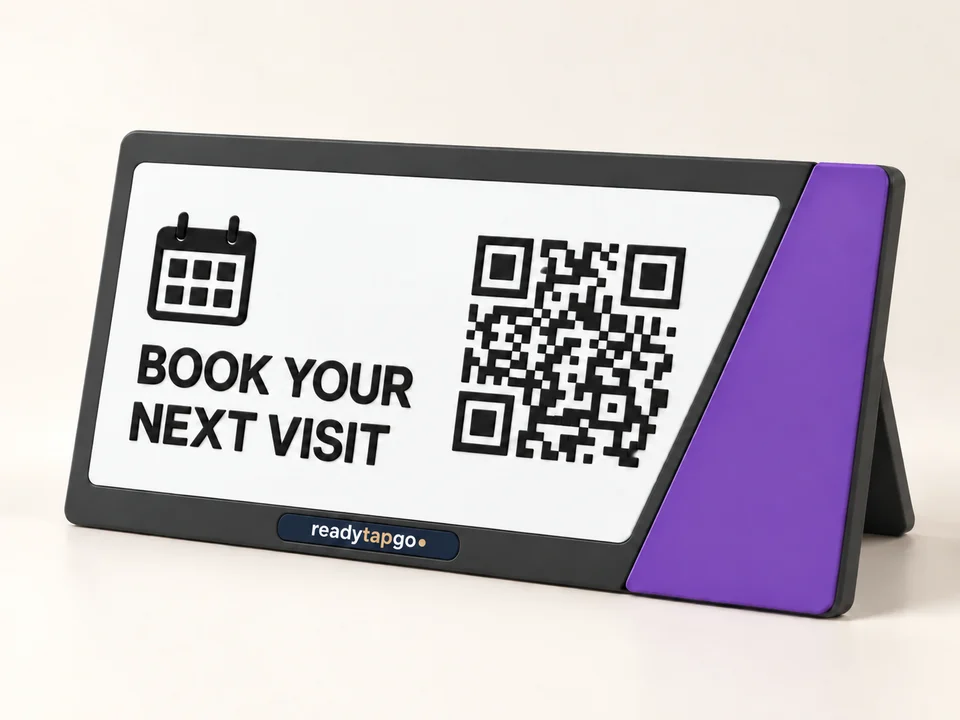
Connect the visit to your booking page.
A reception or checkout sign can give customers a visible route to your existing appointment system. Supply the full HTTPS link to the booking page for the correct business, location or service. The sign opens that page; appointment availability, reminders, deposits and confirmations are handled by your scheduling provider.
Test the customer’s route.
Open the destination on a mobile phone without your staff or administrator session. Make sure a customer can choose a service and reach the booking flow rather than a management dashboard. Check that the page works at the intended location and does not expose private customer or staff information.
Pick a message for the moment.
At checkout, “Book your next visit” makes the action clear. At reception, a message such as “View appointments” can suit a customer checking options. Keep the invitation short enough to read quickly, with your business name and a clear QR area. Avoid adding details that will become outdated when services or opening hours change.
Choose a reception stand or fixed plaque.
Use a freestanding style when you want to move the sign between indoor desks. A flat-backed design can reduce counter clutter when a suitable mounting surface is available. Tell us the surface material, especially if it is metal, and confirm the mounting method and NFC suitability in your quote.
Keep the booking URL stable.
Changing the available services at the same booking URL can keep the printed sign useful. Switching scheduling providers or locations can change the URL. If that is likely, consider a stable booking page or redirect on a website you control and discuss your destination plan before approving the proof.
What to send with your request.
Provide your business name, authorized logo, preferred colors, sign shape, quantity, exact booking URL and intended placement. The designer gives a current estimate and submits an inquiry. Your final quote and approved artwork confirm the sign details; scheduling software is a separate service.
Questions before you order
Is booking software included?
No. The sign opens your existing scheduling destination. Booking software, subscriptions, appointment availability and reminders are separate.
Can the sign open a specific service or location?
Use a public link for that service or location if your scheduling provider supports it. Test it without your administrator login.
Can we move the sign between desks?
Choose a freestanding format for indoor placement that needs to move. Review a fixed mounting method for a flat-backed plaque.